
Figma MCP Masterclass
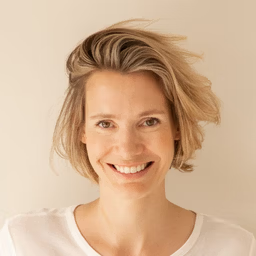
- Your instructor
- Christine Vallaure
-
Workshop includes:
- 🔖 Examples to take away
- 🗣 Active participation
- 🎁 Workshop recordings
- 🏅 Smashing Certificate
Workshop, 4h + Q&A • Mon, September 14 2026
9:00 AM – 1:00 PM PDT • 18:00 – 22:00 CEST • Check your time zone ⏰
You work in Figma and want to get from canvas to real code, without the hand-off guesswork. This Figma MCP Masterclass is just right for you — no dev skills needed!
You’ll learn how the Model Context Protocol turns your Figma file into something AI tools can actually read — piping real layout, variables, and tokens straight from Figma into IDEs like Cursor, VS Code, and Claude Code, instead of leaving an AI to guess from a screenshot.
Here’s What You Should Be Expecting:
-
Interactive live session
A comprehensive, intensive 4-hour live session
-
Practical insights
From what MCP actually changes to prepping your own Figma files for it
-
Hands-on exercises
Pulling a live Figma file into an agent, and building your own plugin
-
Lifetime access
To all video recordings, Figma playground files, and boilerplate code repositories
-
Dedicated Q&A time
A dedicated block to ask your questions live with your instructor
-
Smashing Certificate
A well-deserved reward for leveling up your Figma-to-code workflow
You work in Figma and you want to get from your canvas to real code, without handing it off and hoping for the best. This is for you, and no dev skills are needed.
The Model Context Protocol changes what that move looks like. Instead of feeding an AI screenshots and getting a rough guess back, you pipe real structural context straight from Figma: layout, variables, tokens. Your file stops being a picture and becomes something the tools can actually read.
There are a few Figma MCPs and it is honestly confusing which does what. So we clear that up first, then look at workflows: which tools and which setup fit which kind of team. You will also come away understanding agents themselves, how they read a file and what they are actually looking for, so you know what matters whether you are working from a simple setup or something closer to a full design system.
Then we build together. You will learn how to pull a Figma file straight into an agent in Claude, and then we go one step further and build our own small plugin with Claude, Figma, and the MCP. Follow along with your own Claude and Figma account, or just watch how it works. Either way, you get all the files we make.
Bring your own file. You will leave able to do this on Monday morning, straight in your own workflow.
This is one longer, focused session — 4 hours live, with a short break in the middle, rather than spread across multiple days.
Who Is This For?
Ideal for beginner/intermediate-level UI Designers who want their files to hand off cleanly, without needing to become a developer.
Also a great fit for curious developers who care about translating designs properly and want to see the process from the design side too.
In this workshop, we’ll explore
- What you’ll be able to do by the end — no dev background needed
- What MCP (Model Context Protocol) is and what it actually changes
- Which Figma MCP is which, and clearing up the confusion about what each one does and when to use it
- Workflows: which tools and which setup fit which kind of team
- How agents read a file, what they look for, and what matters from a simple setup up to something closer to a full design system
- Demystifying the new vocabulary: DESIGN.md, skills, context files, mapping — what each one actually is, how to use it, and where it genuinely makes sense (and where it doesn’t)
- How to prep your Figma files for this new workflow
- Building together: pulling a Figma file straight into an agent in Claude
- Going one step further and building your own small plugin with Claude, Figma, and the MCP
- Follow along with your own Claude and Figma account, or just watch — either way, you get all the files we make
At the end of this class, you will have established an automated, highly collaborative workflow that closes the loop between design intent and production-ready code. Your product iterations will shorten drastically, and your whole team will love you for it.
About Christine Vallaure
Christine Vallaure is the founder of moonlearning.io, a learning platform for UI, Figma and Product Building with AI. She’s also the author of theSolo.io, a practical guide to building and growing digital products independently, and a regular speaker at design and tech conferences.
Christine is deeply invested in bridging the gap between design and development, creating content and tools that help both sides work better together with more clarity, curiosity, and collaboration.
With over a decade of experience working with startups, agencies, and global brands across Berlin, Mexico City, and London, Christine now calls Madrid home. As a solo founder and creator, she’s passionate about the growing wave of independent builders who are rethinking how digital products are made, from the tools we use to the way we work.
Time & Schedule
The workshop runs as a single, comprehensive four-hour session, with a 15-minute break in the middle:
8:45 AM PDT
Virtual doors open, registration, chat and introductions.
9:00 AM – 10:45 AM
- What you’ll be able to do by the end — no dev background needed
- What MCP (Model Context Protocol) is and what it actually changes
- Which Figma MCP is which, and clearing up the confusion about what each one does and when to use it
- Workflows: which tools and which setup fit which kind of team
- How agents read a file, what they look for, and what matters from a simple setup up to something closer to a full design system
- Demystifying the new vocabulary: DESIGN.md, skills, context files, mapping
- How to prep your Figma files for this new workflow
10:45 AM – 11:00 AM
15-minute break.
11:00 AM – 12:30 PM
- Building together: pulling a Figma file straight into an agent in Claude
- Going one step further and building your own small plugin with Claude, Figma, and the MCP
- Follow along with your own Claude and Figma account, or just watch — either way, you get all the files we make
12:30 PM – 1:00 PM
Q&A with Christine. Chat with each other.